If the documents are not available on the platform, please proceed by following these steps to perform the manual synchronization. Remember that the synchronization must comply with the guidelines established by the DIAN, and that the Gosocket platform is configured according to these parameters.
To synchronize the issued documents with GS platform, you must send the compressed file of the electronic document to the following email address: co@recepcionprd.gosocket.net
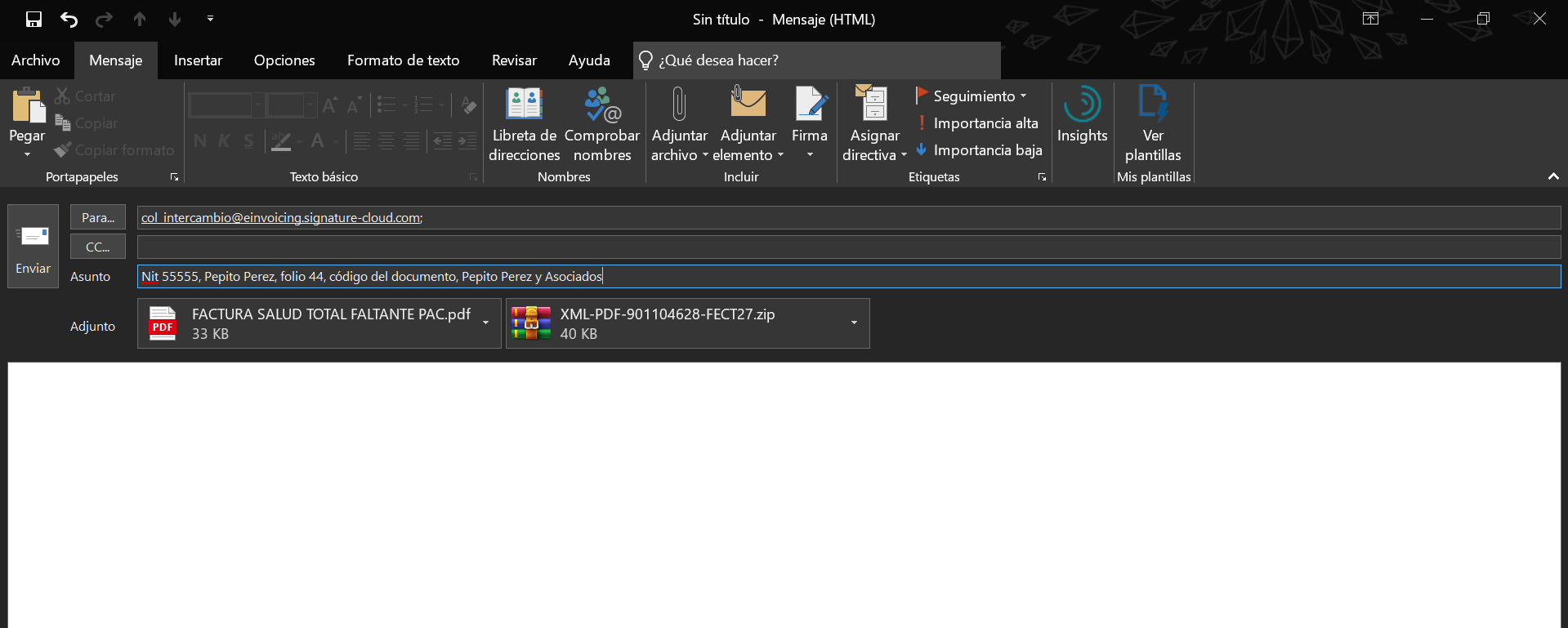
The email subject field must contain only the following information:
SUBJECT:
- Tax Identification Number (NIT) of the Electronic Provider
- Name of the Electronic Provider issuing the invoices
- Electronic Document Number
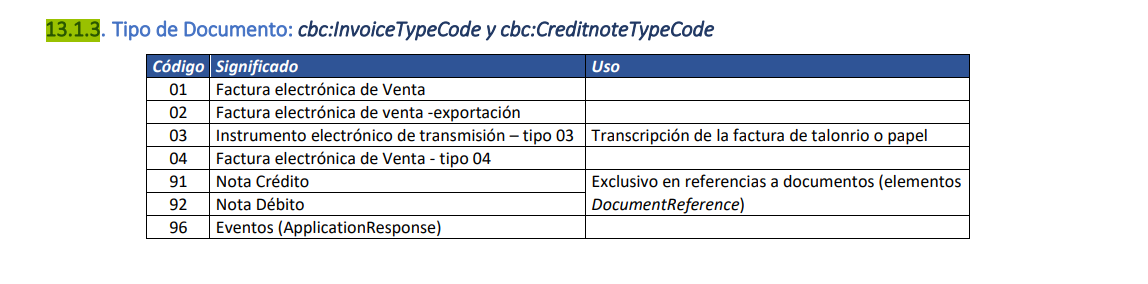
- Document Code (see reference table below)
- Trade Name of the Provider (Company name)
- Line of business (optional, based on commercial agreement between parties)
ATTACHMENTS: a .ZIP file containing: (Maximum size 2 MB)
- The AttachedDocument (Electronic container)
- A PDF with the graphic representation (optional)
Was this article helpful?
That’s Great!
Thank you for your feedback
Sorry! We couldn't be helpful
Thank you for your feedback
Feedback sent
We appreciate your effort and will try to fix the article


