Updates have been implemented to the functionalities that enable company registration and association, in order to delivering an improved user experience and enhancing security for companies and their suppliers.
In this context, the following guidelines describe the process for registering new suppliers to a company through the Gadgets Network.
Requirement
To manage suppliers in Gosocket, the user must log in with an account that has administrator profile privileges (Perfil de administrador).
Procedure to manage and invite suppliers
1. Platform access
The user must access to https://gosocket.net.
2. User authentication
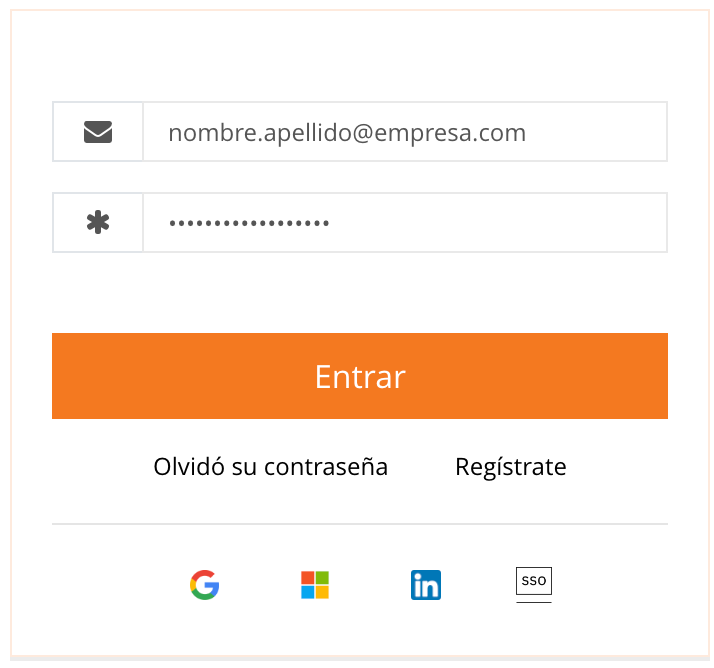
The user must log in using the registered username and password (Usuario y contraseña).
3. Navigation on the Network module
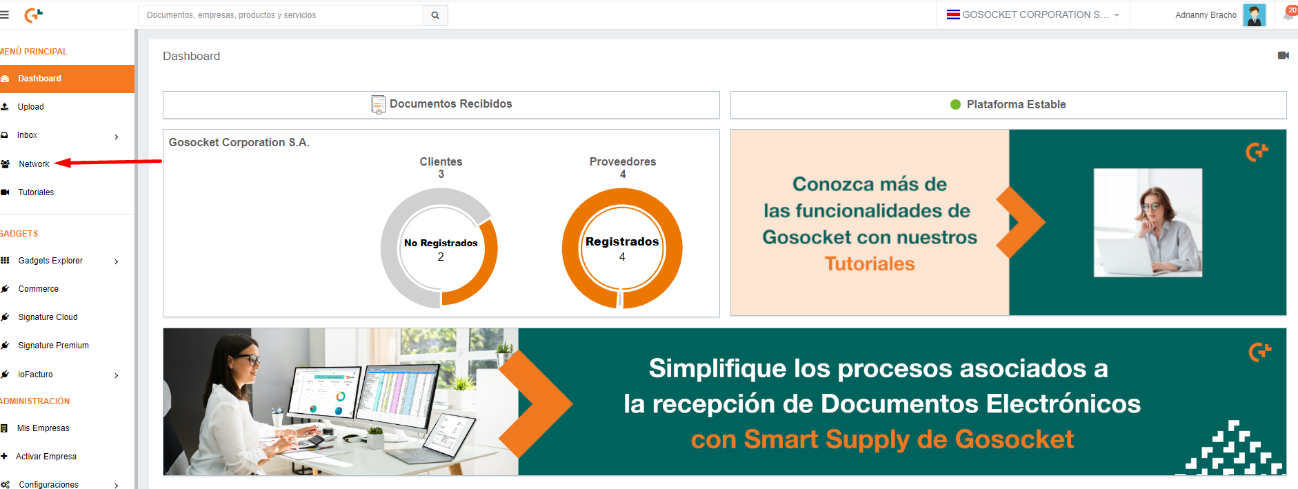
From the left-side navigation menu, the user must locate and select the Network option.
4. Supplier search and registration
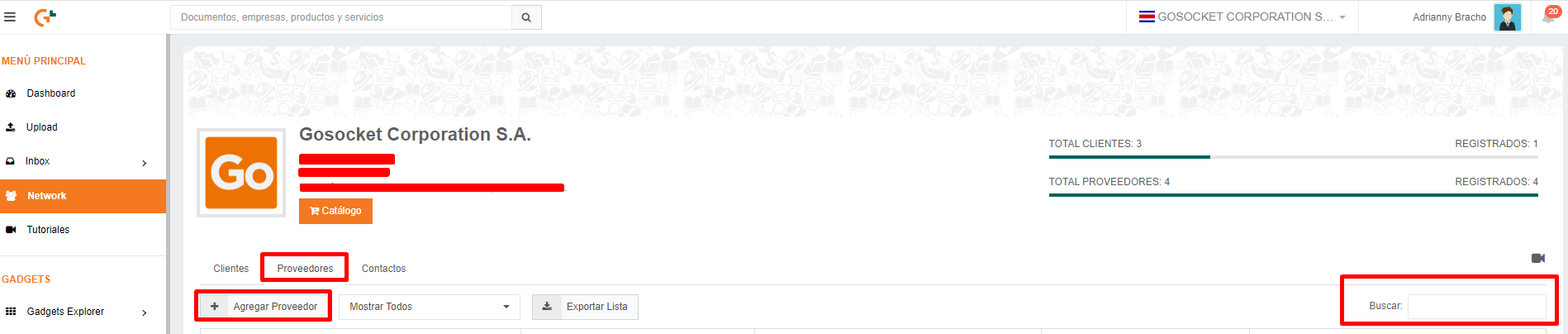
The user must access the Suppliers tab (Proveedores) and apply a filter by entering the company’s Tax ID (ID Fiscal), then click on the search button (Buscar).
- If the company is not displayed, it can be added using the Add Supplier option (Agregar Proveedor).
Supplier Status Indicators
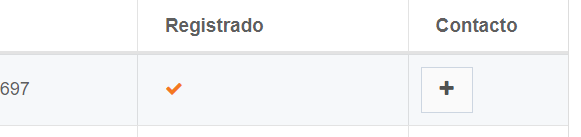
- If the company appears with an orange verification check mark in the Registered column (“Registrado”), it means the company already has access to the Gosocket platform.
- If the Invite option (Invitar) is enabled, the user must click this button to send a registration invitation email to the supplier. This email will include an activation code (Código de activación).

Important note:
For this functionality to operate correctly, the supplier must not have completed any prior registration on the Gosocket platform.
Invitation Confirmation
If the company appears with an orange verification check mark (✓), this indicates that the invitation email has been successfully sent.

Using the activation code
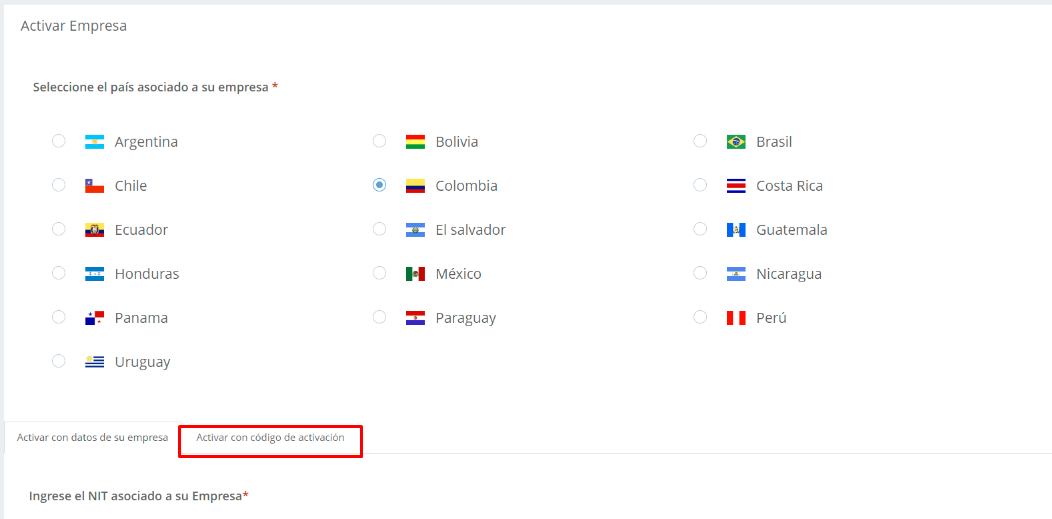
The activation code received by the supplier must be entered in the option activate with activation code (Activar con código de activación) after clicking the link provided in the invitation email.
Bulk supplier registration
This process can also be performed in bulk by following the recommendations outlined in the article ¿How to Register Suppliers in the Gosocket Network in Bulk?.
Support and troubleshooting
If the supplier does not receive the activation email, they must contact support and provide the corresponding evidence so assistance and a prompt resolution can be provided.
Additional resource
A YouTube video tutorial (¿Cómo invitar a mis proveedores a Gosocket?) for step-by-step guidance.
Was this article helpful?
That’s Great!
Thank you for your feedback
Sorry! We couldn't be helpful
Thank you for your feedback
Feedback sent
We appreciate your effort and will try to fix the article


