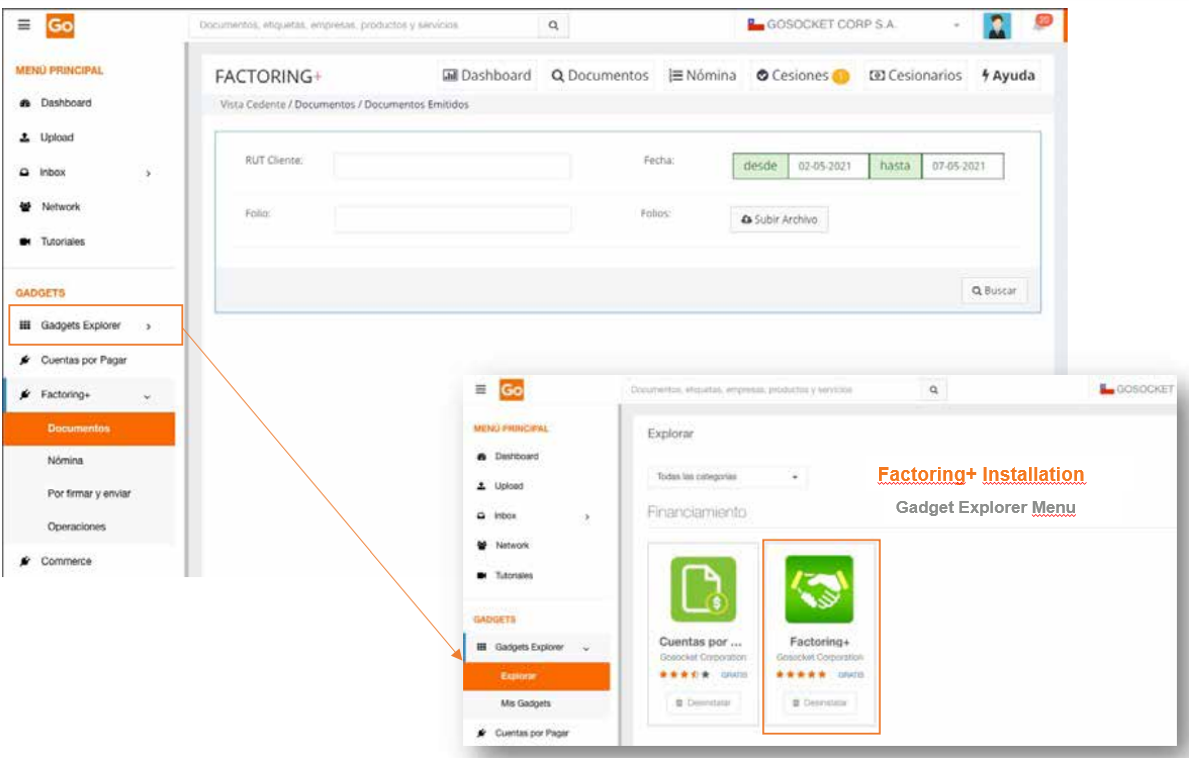
To use Factoring+, it is necessary to first install the application from the Gadget Explorer menu available on the Gosocket portal.
- Access to Factoring+
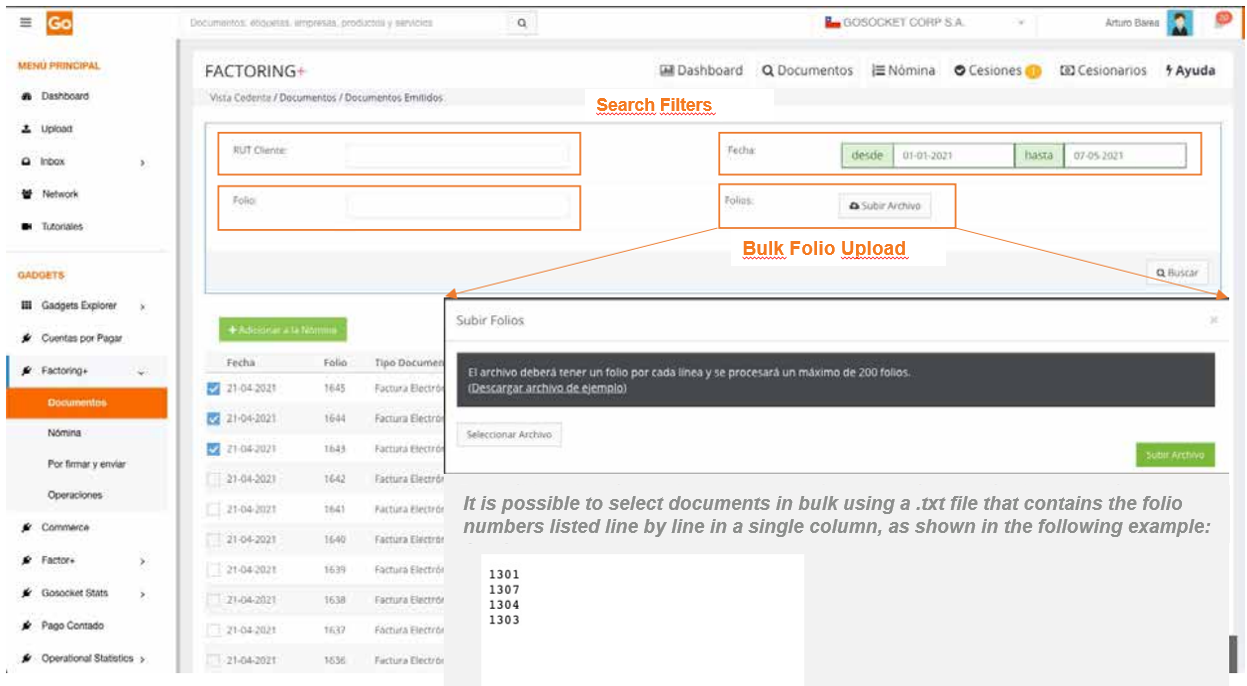
- Operational documents section
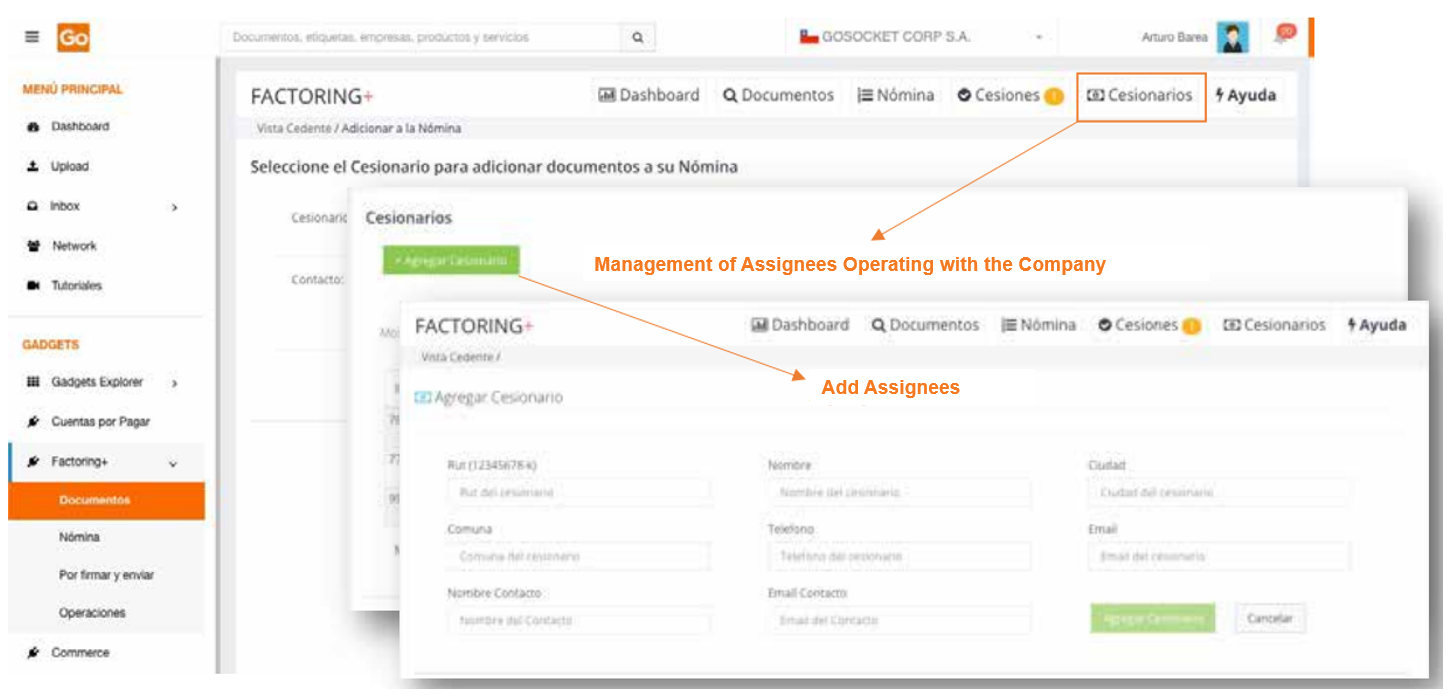
- Selection of financial entity "Assignee"
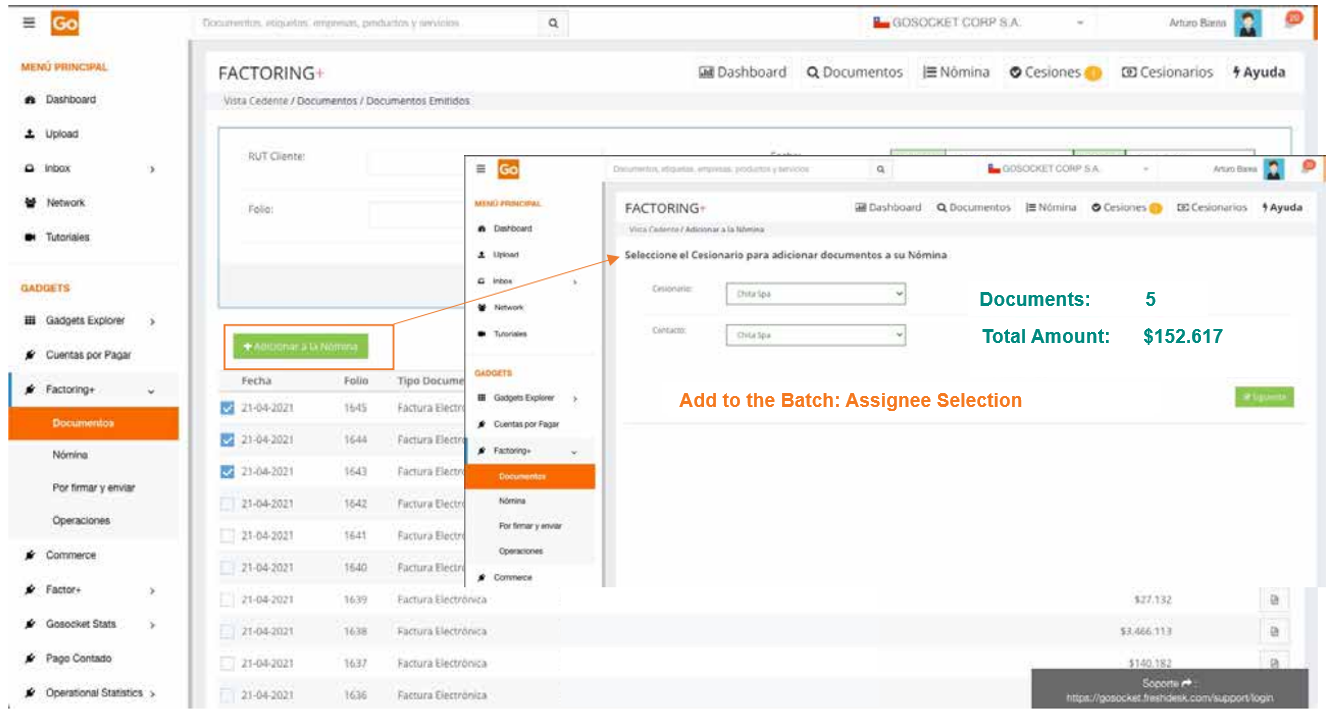
The financial entity with which the operation is to be executed—referred to as the "Assignee"—must be selected. This is the institution to which the ownership of the document will be transferred for the purposes of its assignment.
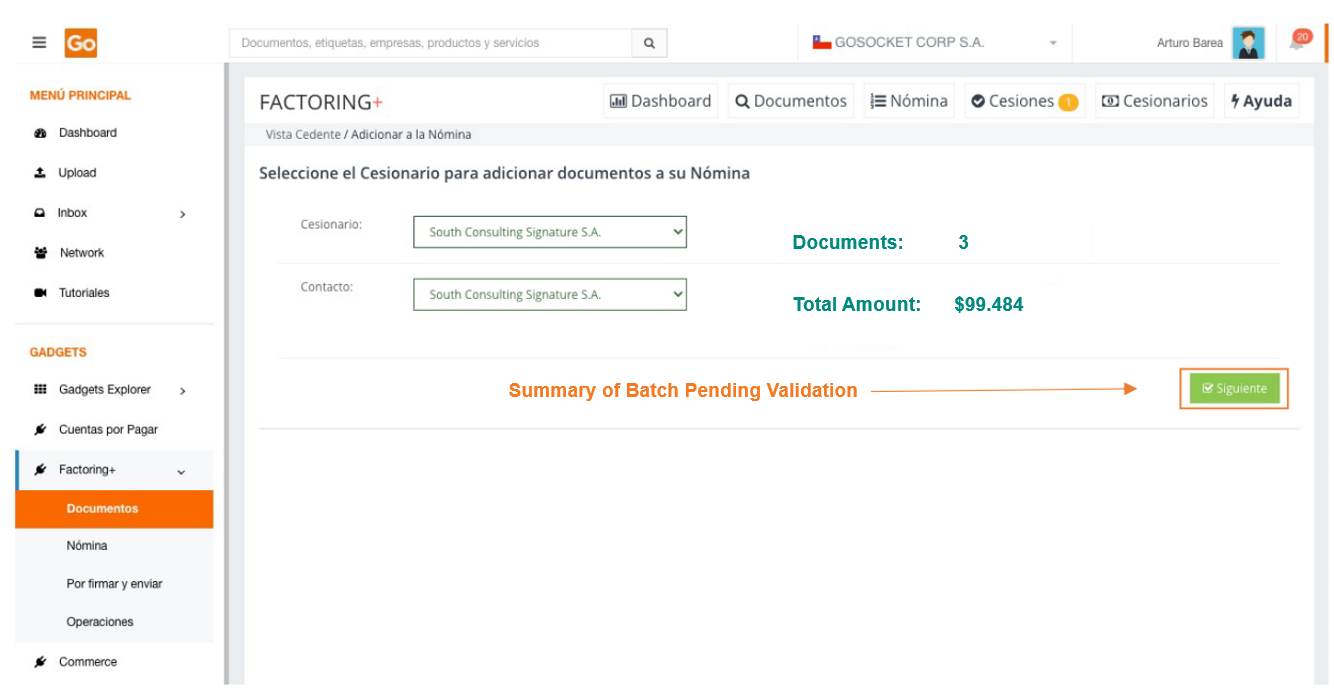
- Validation of the batch to be processed
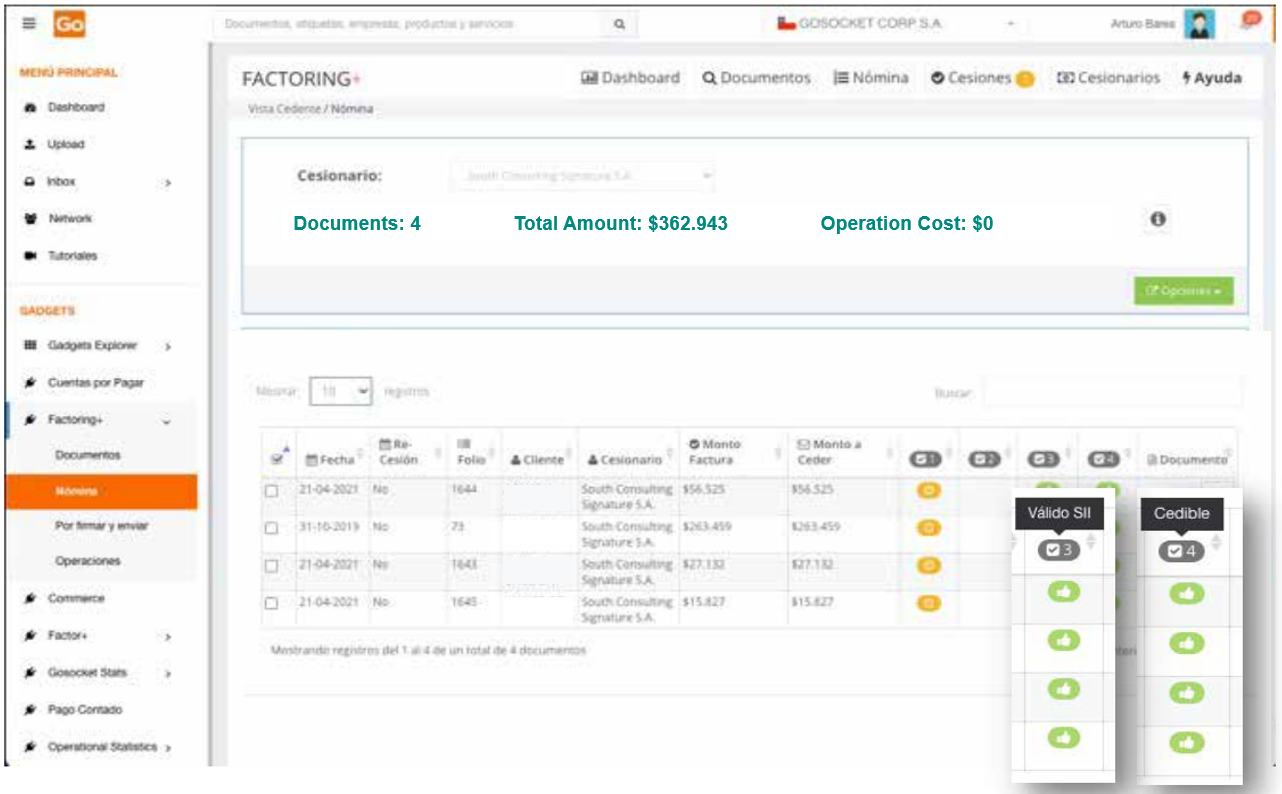
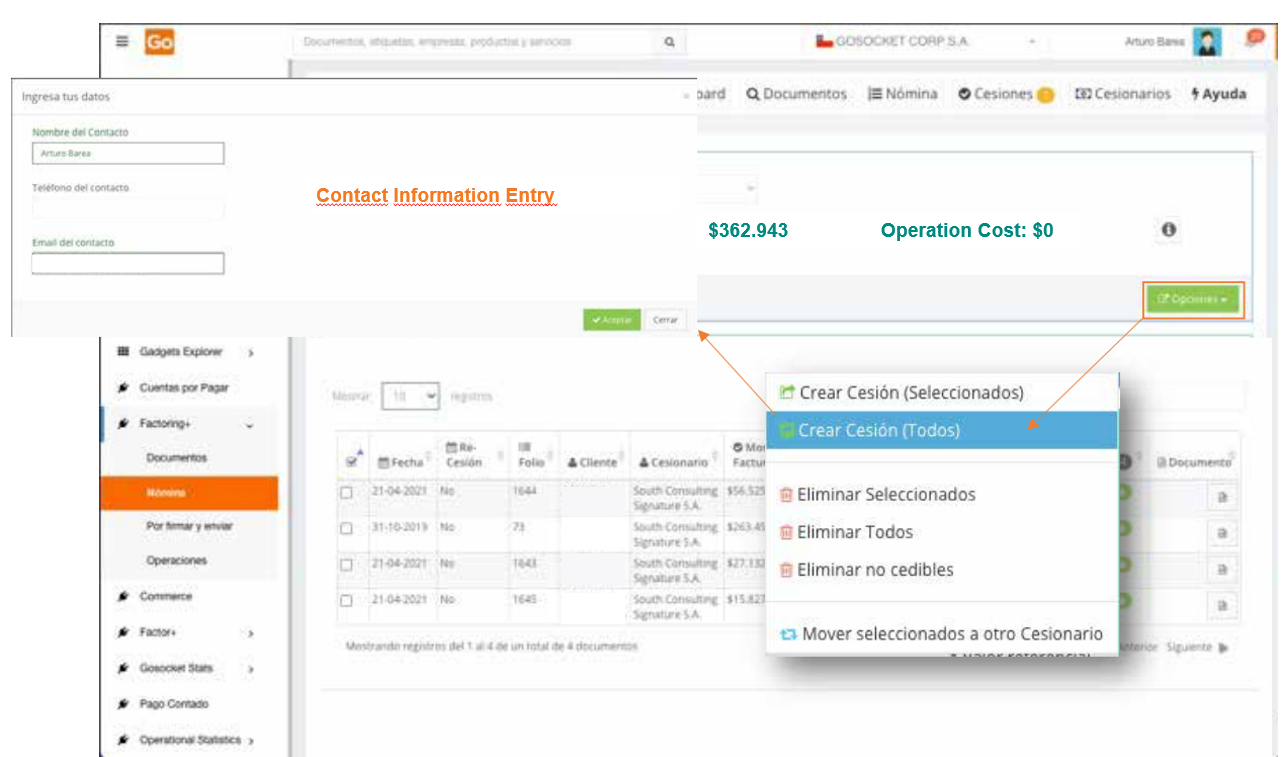
- Operation creation
- Signing and submitting the operation
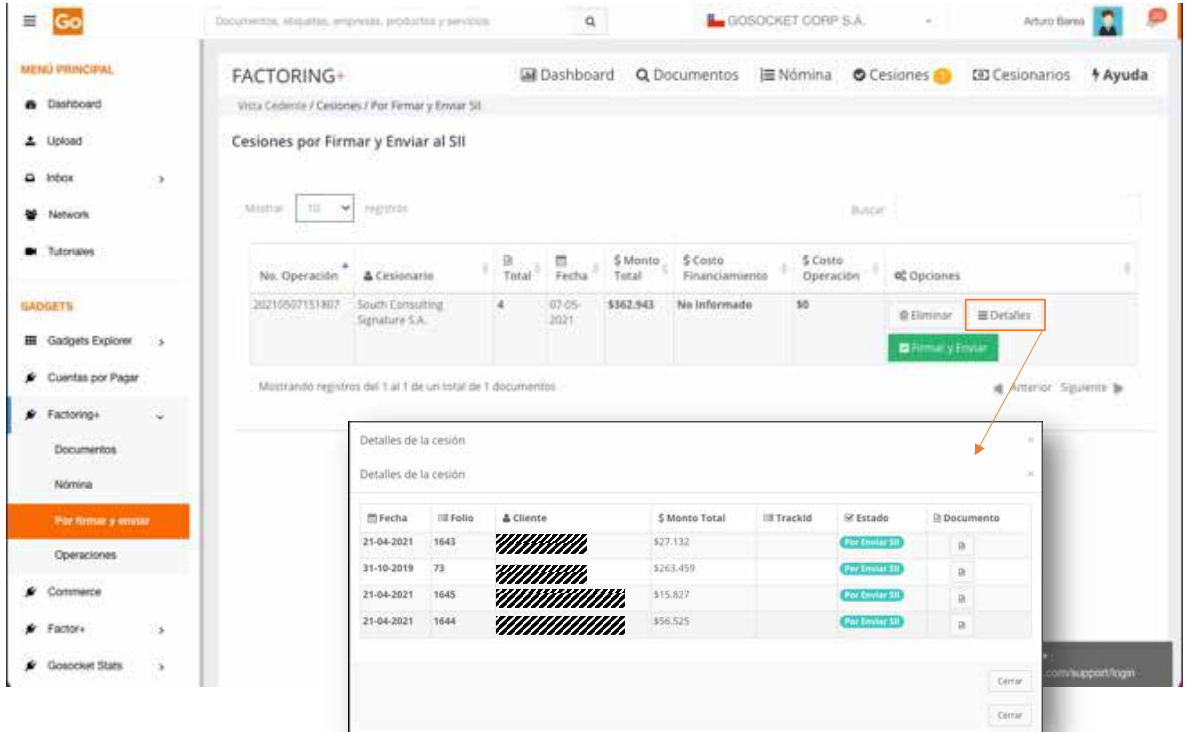
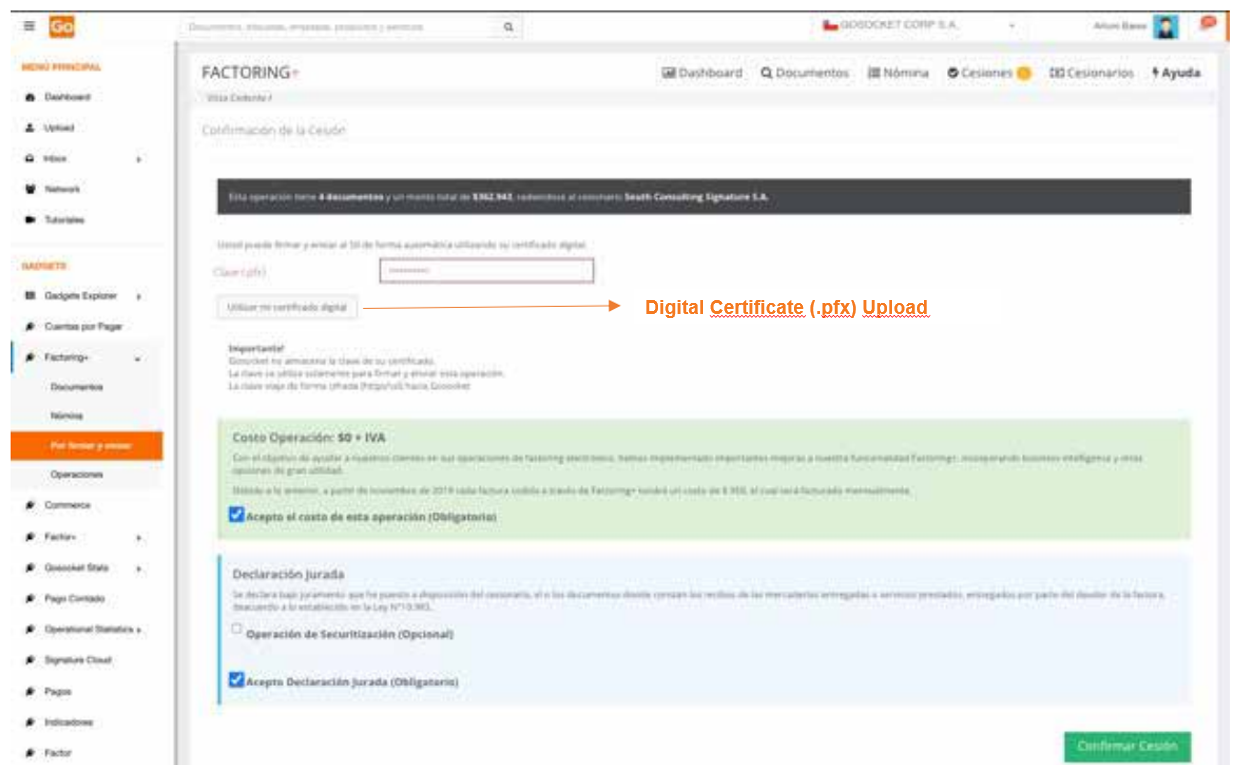
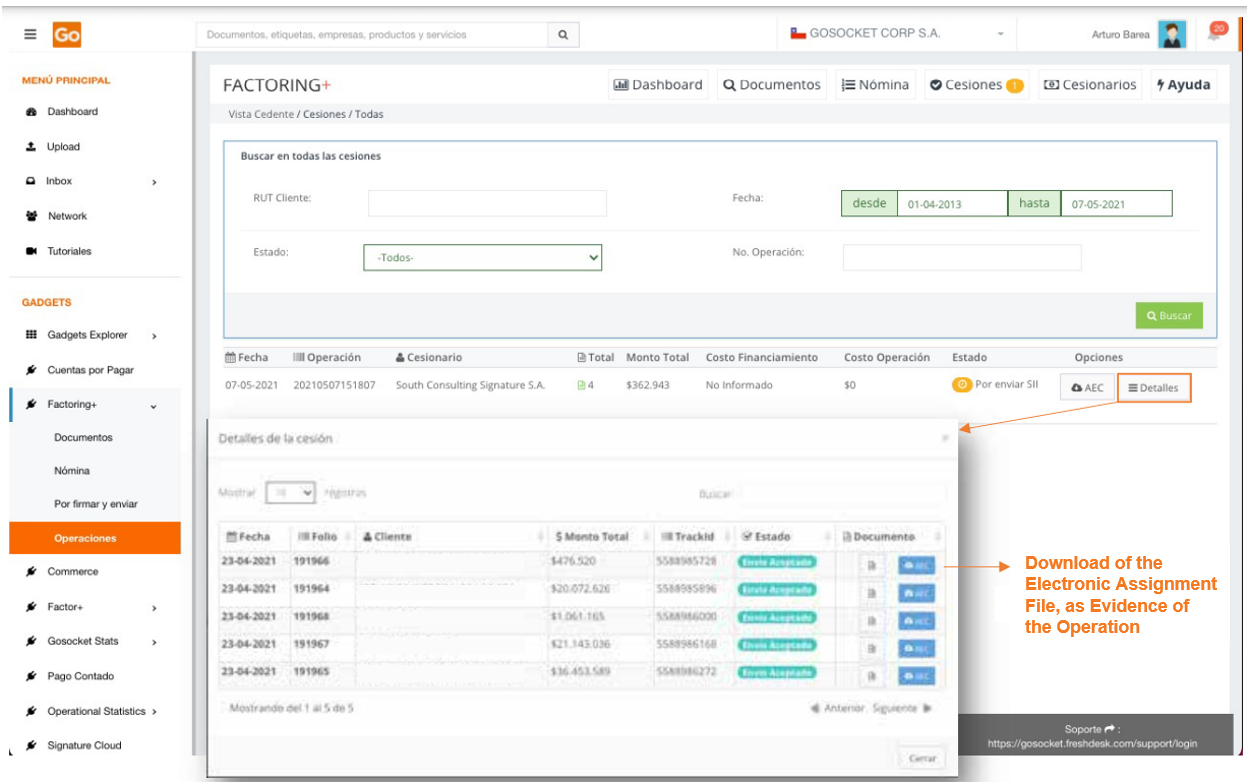
- Operation status
Was this article helpful?
That’s Great!
Thank you for your feedback
Sorry! We couldn't be helpful
Thank you for your feedback
Feedback sent
We appreciate your effort and will try to fix the article


