This is the step-by-step process you can follow to performing a bulk download of product information from ioFacturo Costa Rica, version 4.3:
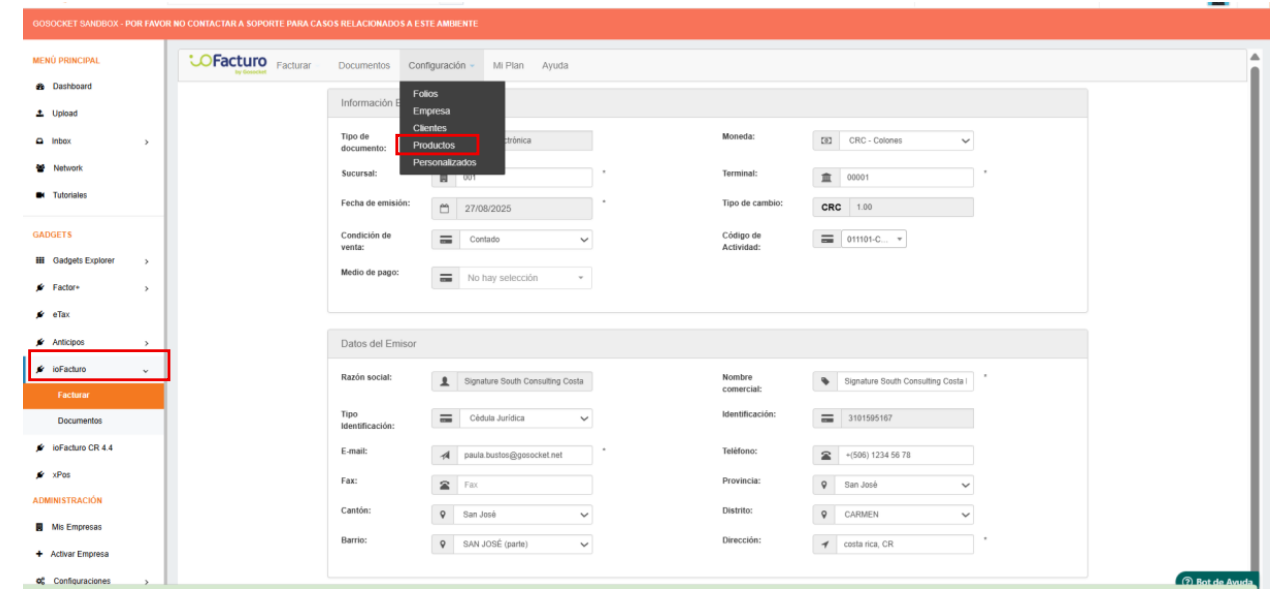
1. Upon logging into ioFacturo (version 4.3), select the option “Settings – Products.” (Configuración - Productos)
2. After selecting this option, choose “Download” (Descargar) on the next screen.
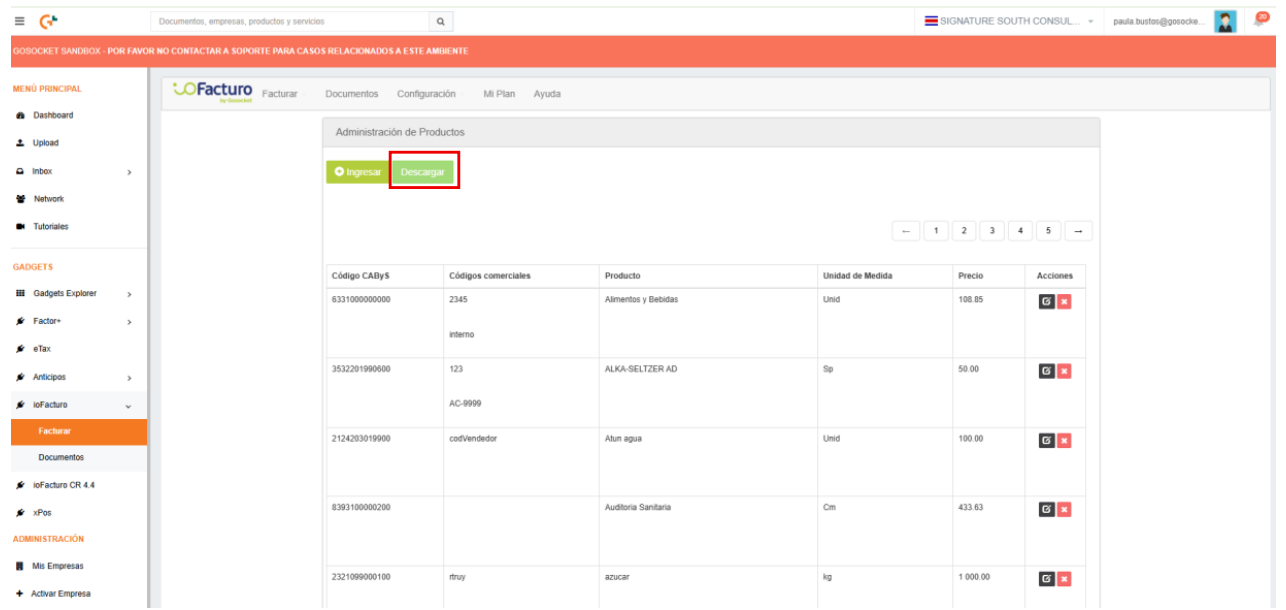
By selecting “Download” (Descargar), an Excel file containing the information of all the company’s products will be generated.
Note: The generated file follows the required structure for the bulk upload of products in ioFacturo Costa Rica version 4.4. Please keep in mind that in version 4.4, the CAByS code for products is mandatory; therefore, it must be registered for all products in order to successfully perform the bulk upload.
Was this article helpful?
That’s Great!
Thank you for your feedback
Sorry! We couldn't be helpful
Thank you for your feedback
Feedback sent
We appreciate your effort and will try to fix the article


