This document outlines the step-by-step process for enabling bulk customer upload and product information to ioFacturo Costa Rica, version 4.4:
1. Bulk Upload of Customers:
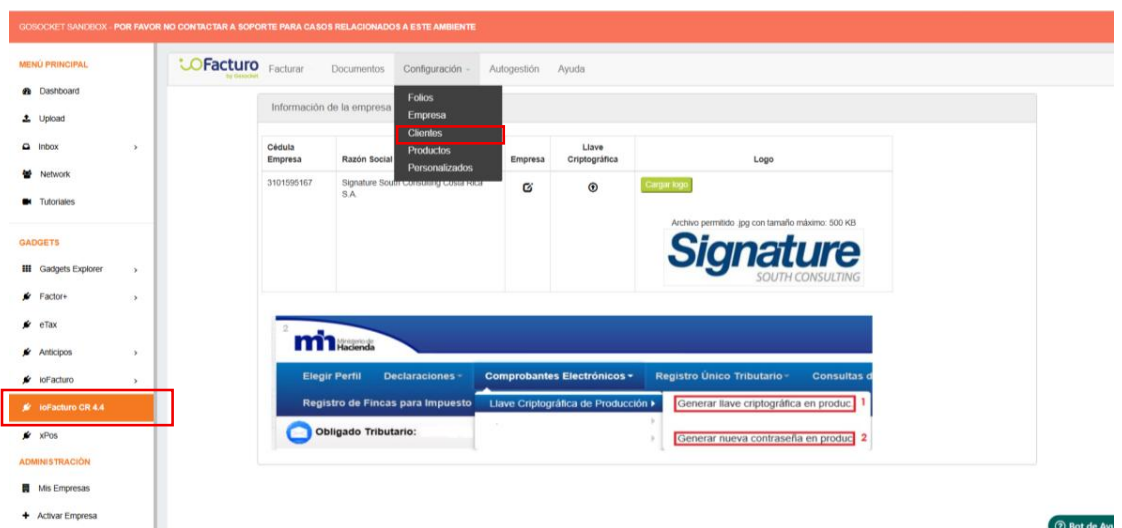
a. Upon accessing ioFacturo CR 4.4., select the option “Settings – Customers”. (Configuración - Clientes)
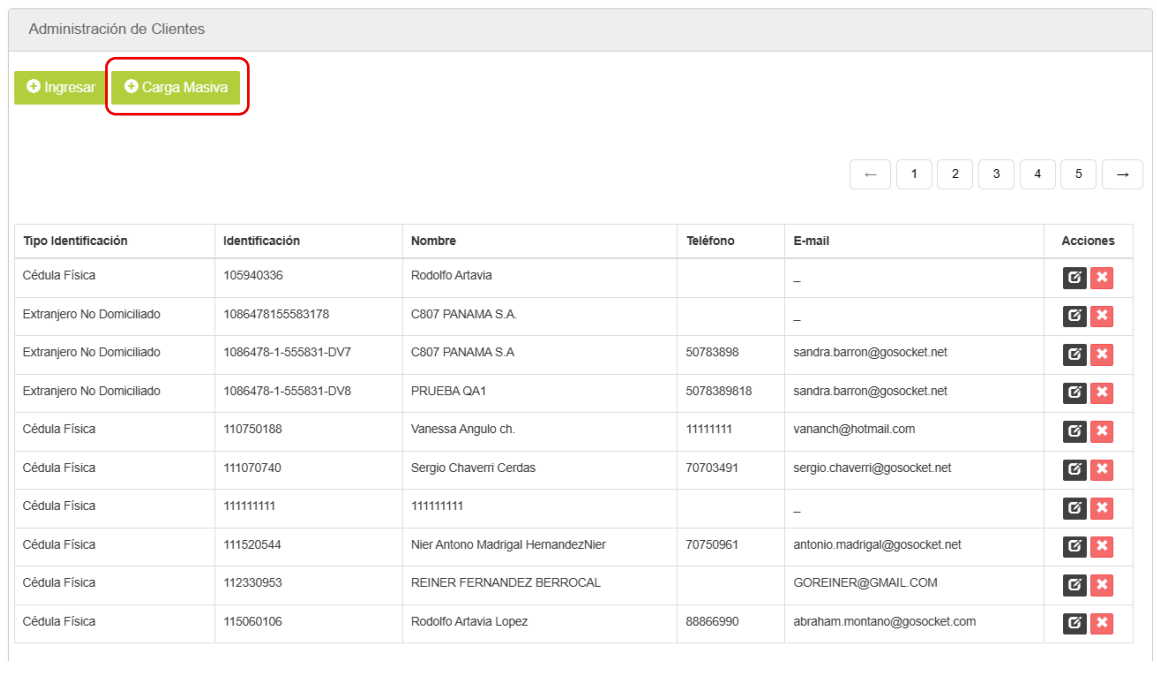
b. After selecting this option, choose “Bulk Upload” (Carga Masiva) on the next screen.
c. When the “Bulk Upload” (Carga Masiva) option is selected, the following screen will be displayed:
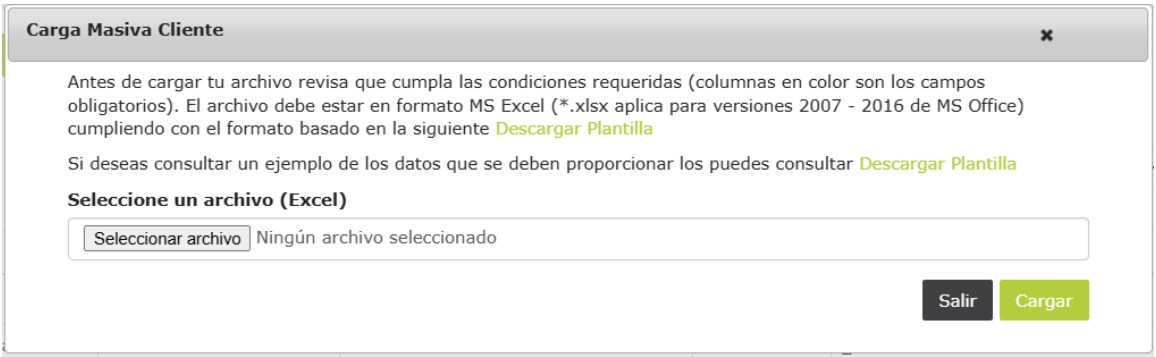
On this screen, you will be able to:
- Download the blank template (Descargar Plantilla) to complete it manually.
- Download the template (Descargar Plantilla) with an example illustrating how it should be completed.
- Upload the template containing the company’s customer data. To do so, select the “Choose File” (Seleccionar archivo) option and then click the “Upload” (Cargar) button.
Notes:
- If any data contains an error, no customer records will be uploaded.
- If a customer that already exists in the system is included in the file, the customer’s information will be updated with the data provided in the file.
2. Bulk Upload of Products:
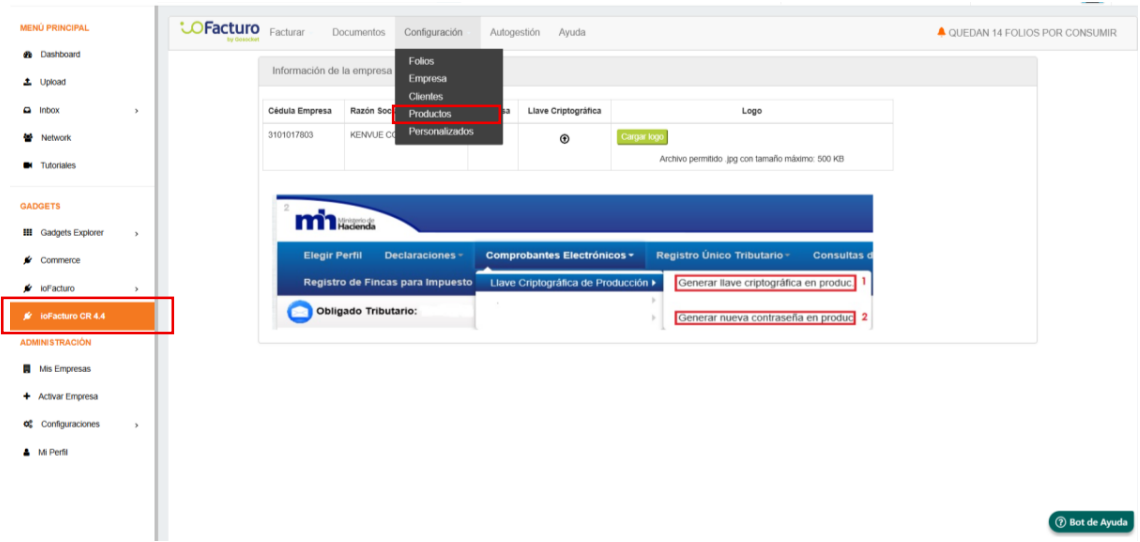
a. Upon logging into ioFacturo CR 4.4., select the option “Settings – Products.” (Configuración - Productos)
b. After selecting this option, choose “Bulk Upload” (Carga Masiva) on the next screen.
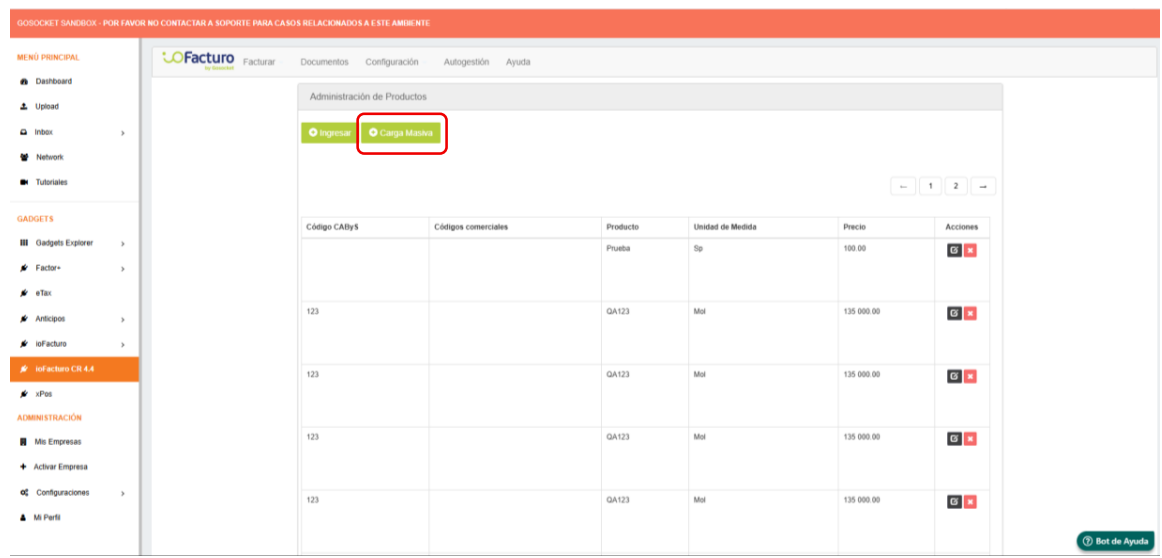
c. When the “Bulk Upload” (Carga Masiva) option is selected, the following screen will be displayed:
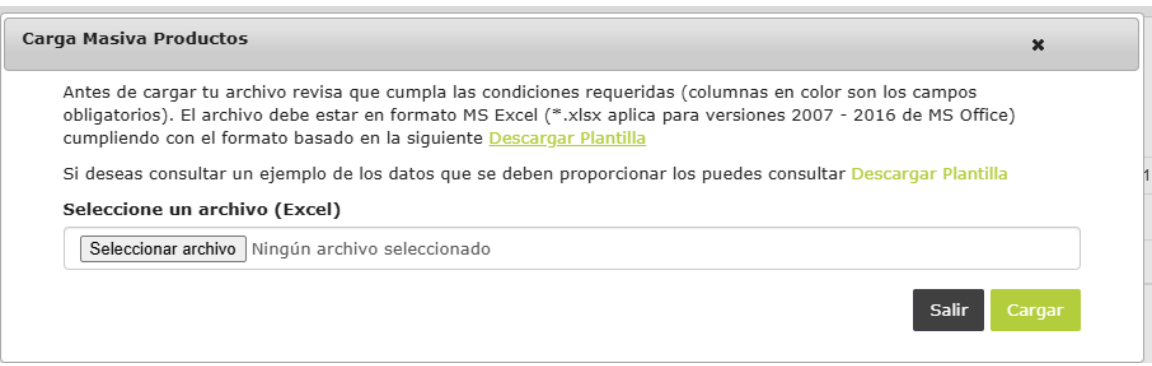
On this screen, you will be able to:
- Download the blank template (Descargar Plantilla) to complete it manually.
- Download the template (Descargar Plantilla) with an example illustrating how it should be completed.
- Upload the template containing the company’s products data. To do so, select the “Choose File” (Seleccionar archivo) option and then click the “Upload” (Cargar) button.
Notes:
- If any data contains an error, no products can be uploaded.
- If information for a product that already exists in the system is uploaded, its data will be updated with the information contained in the file.
Was this article helpful?
That’s Great!
Thank you for your feedback
Sorry! We couldn't be helpful
Thank you for your feedback
Feedback sent
We appreciate your effort and will try to fix the article


