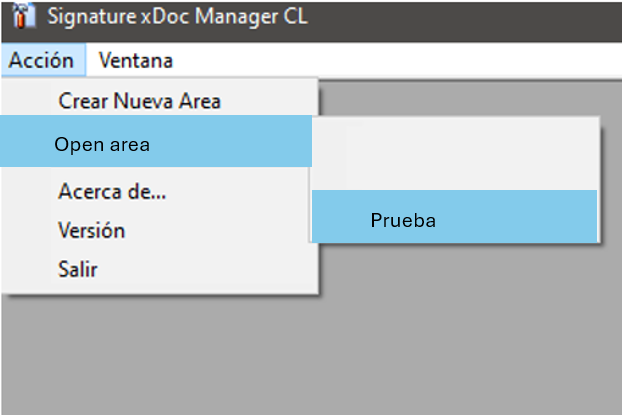
Access the company’s workspace by selecting the option "Open area".
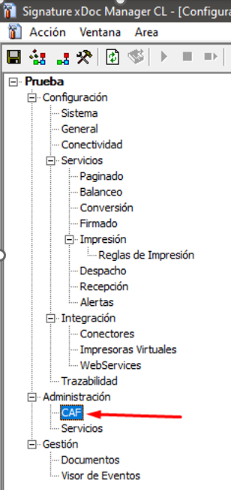
Click to open the CAF or Folios tab.
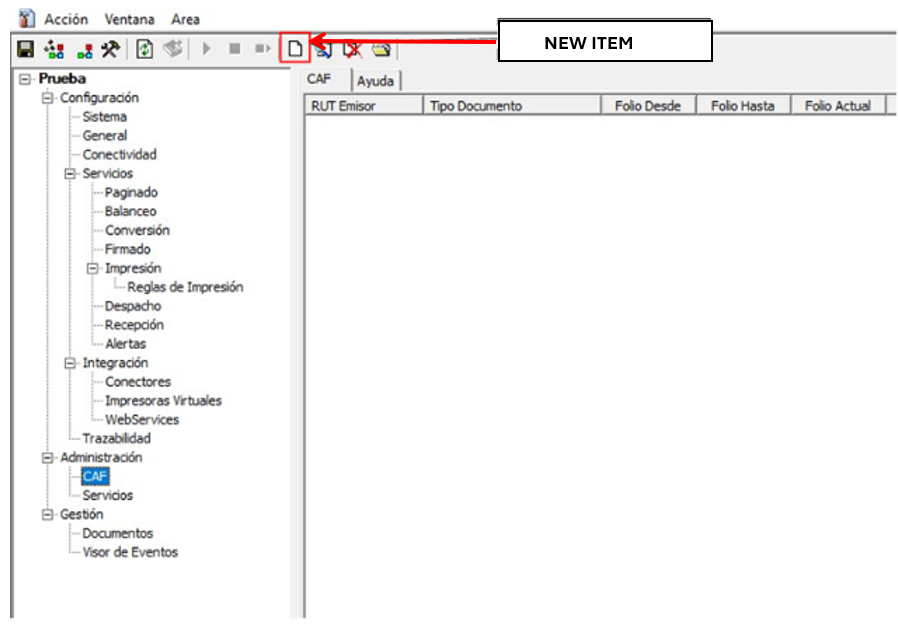
Select New Item.
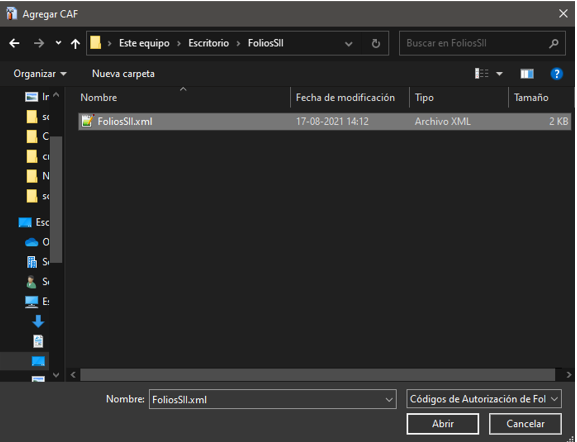
In the computer's file explorer, locate the Folios file to be uploaded (the folios XML downloaded from the tax authority) and click Open (Abrir).
After attaching the Electronic Stamping (Folios) XML file, click the disk icon to save the changes.

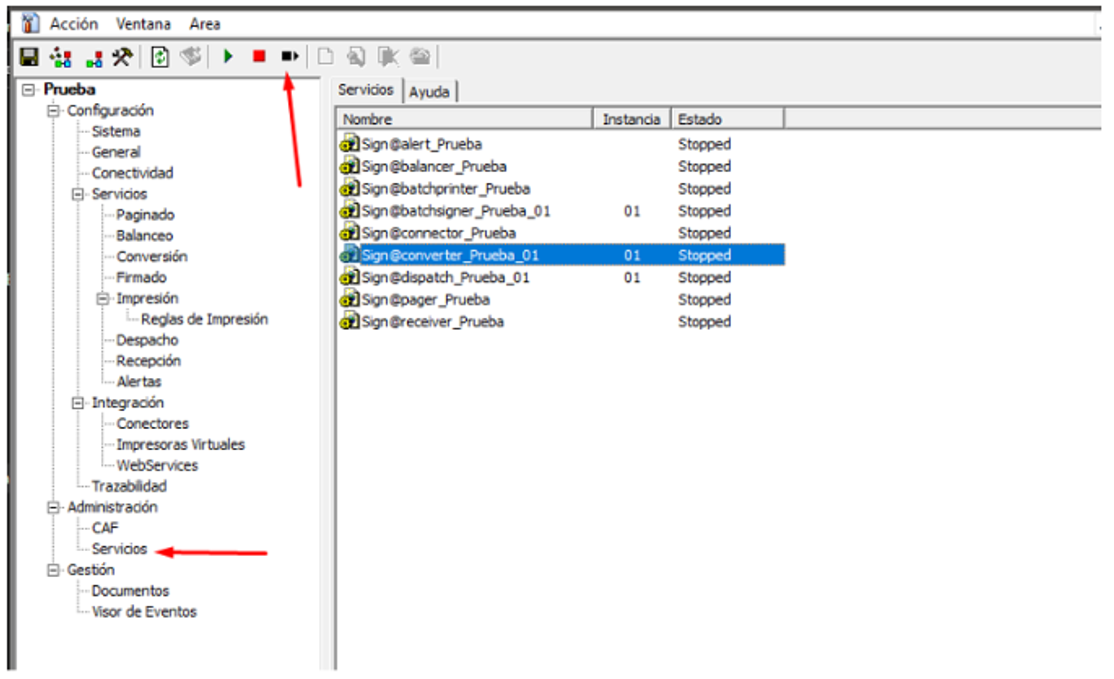
Go to the Services tab (Servicios) - Select all items using the mouse and click the Restart button located in the upper-left corner of xDoc (the black icon with a square and a right‑pointing triangle).
Was this article helpful?
That’s Great!
Thank you for your feedback
Sorry! We couldn't be helpful
Thank you for your feedback
Feedback sent
We appreciate your effort and will try to fix the article


