Procedure for obtaining credentials on the TRIBU website
To generate and retrieve the credentials required for your electronic invoicing process within the TRIBU website, please follow the steps detailed below:
1. Access the information menu on the TRIBU website and select the "Tico Factura" option.
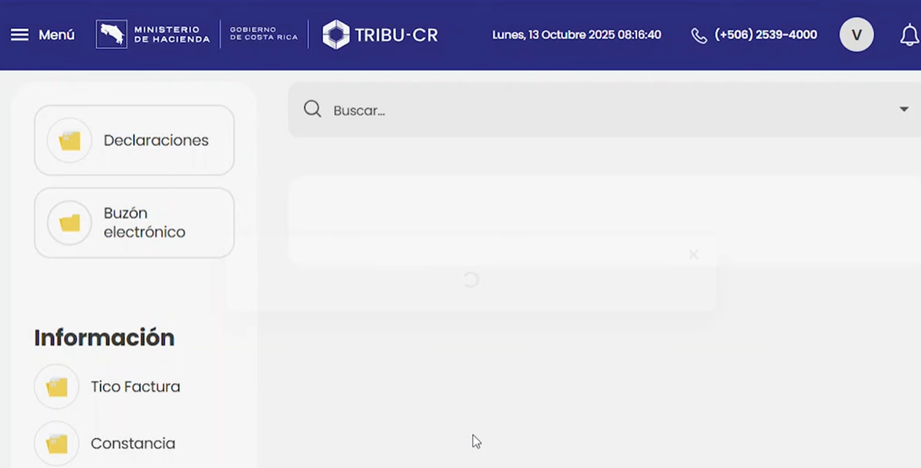
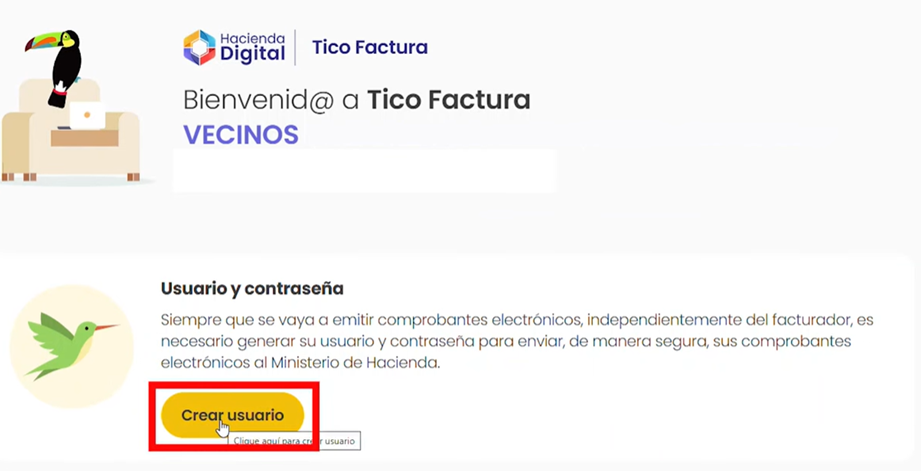
2. After selecting this option, the website interface will update. In the next view, click the "Create user" (Crear usuario) button.
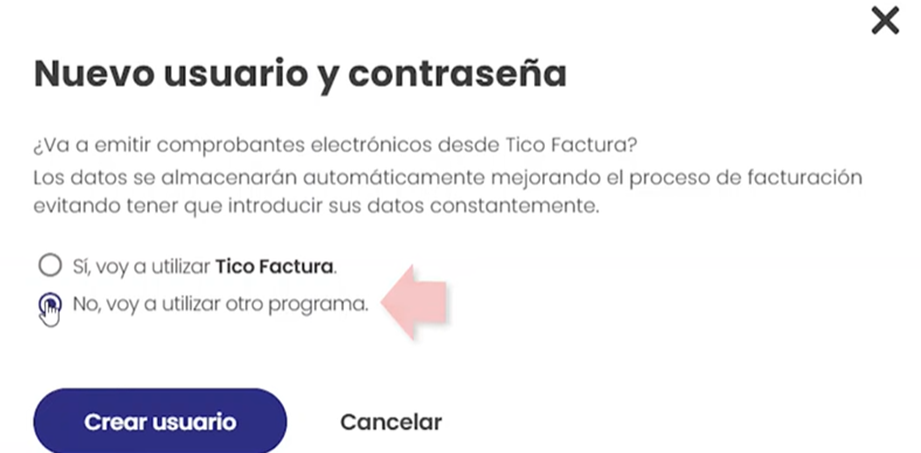
3. A pop‑up window will appear with two options. Select: "No, I am going to use another program.” (No, voy a utilizar otro programa)
4. A new window will then display a confirmation indicating that a username and password have been created (see next image). Click "Copy username and password" (Copiar usuario y contraseña) to temporarily save them to your clipboard.
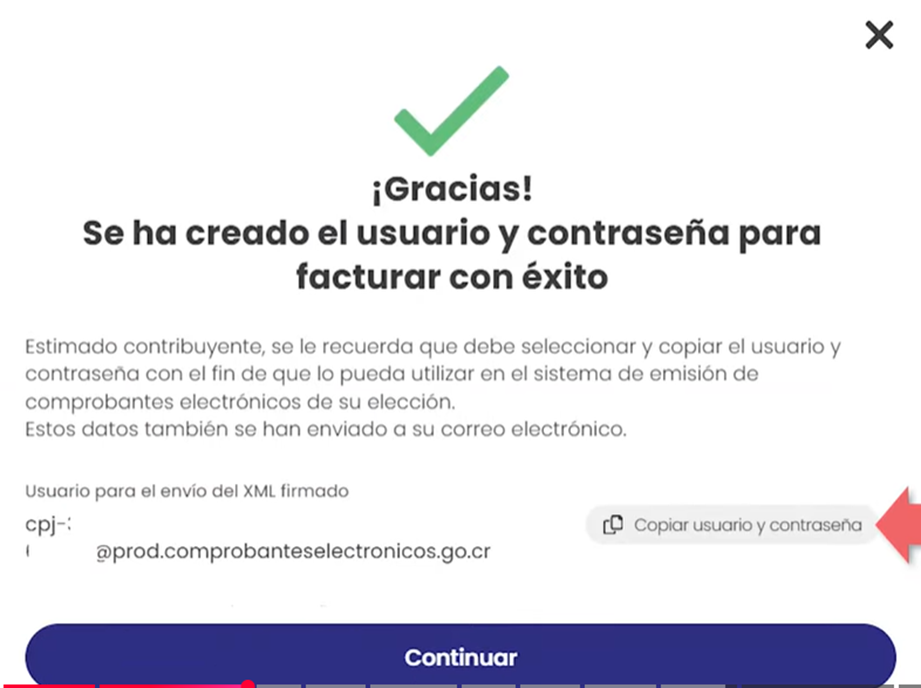
5. Finally, open an application such as Notepad or Microsoft Word, and paste the generated credentials to store them securely.
With this information, proceed to update your credentials in the Gosocket portal by following the instructions provided in the article: “How to update certificate credentials on the gosocket.net Costa Rica billing portal”
Was this article helpful?
That’s Great!
Thank you for your feedback
Sorry! We couldn't be helpful
Thank you for your feedback
Feedback sent
We appreciate your effort and will try to fix the article


