Once the documents meet all required data and complementary information, invoices and credit notes proceed through a series of validations. After passing these checks, they are received and enter the commercial validation process.
As a result of these commercial validations, invoices and credit notes are flagged using a color‑coded indicator that reflects their corresponding status.
The statuses displayed are as follows:
- Approved (Aceptado) (Green):
Indicates that the document has been submitted. In other words, the document has been successfully processed and a message has been sent confirming that it was commercially accepted.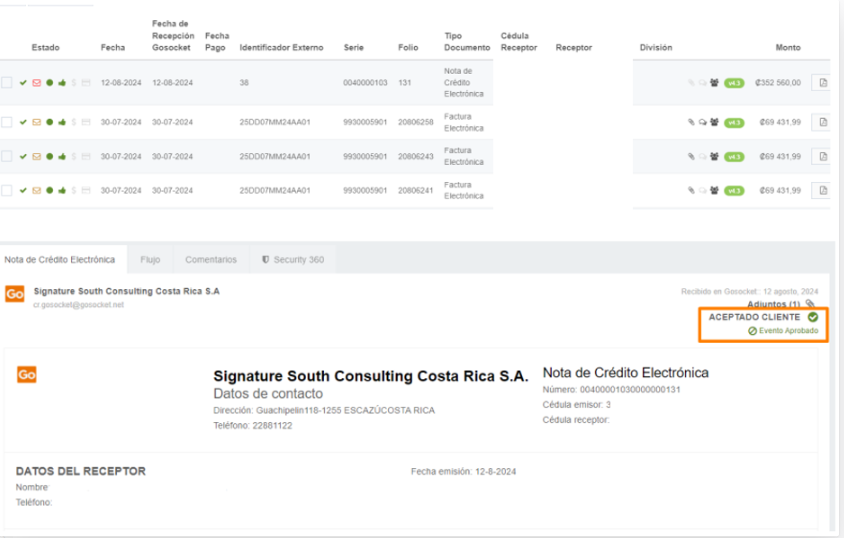
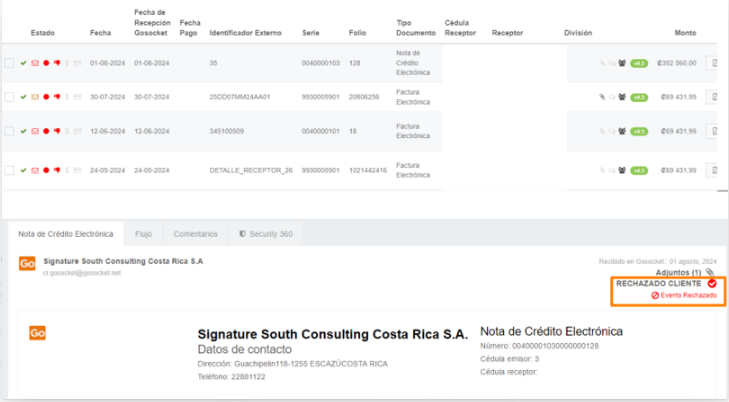
- Rejected (Rechazado) (Red):
Indicates that the document has been commercially rejected. This means the document has been processed and a message has been issued stating that it was rejected.”
Was this article helpful?
That’s Great!
Thank you for your feedback
Sorry! We couldn't be helpful
Thank you for your feedback
Feedback sent
We appreciate your effort and will try to fix the article


